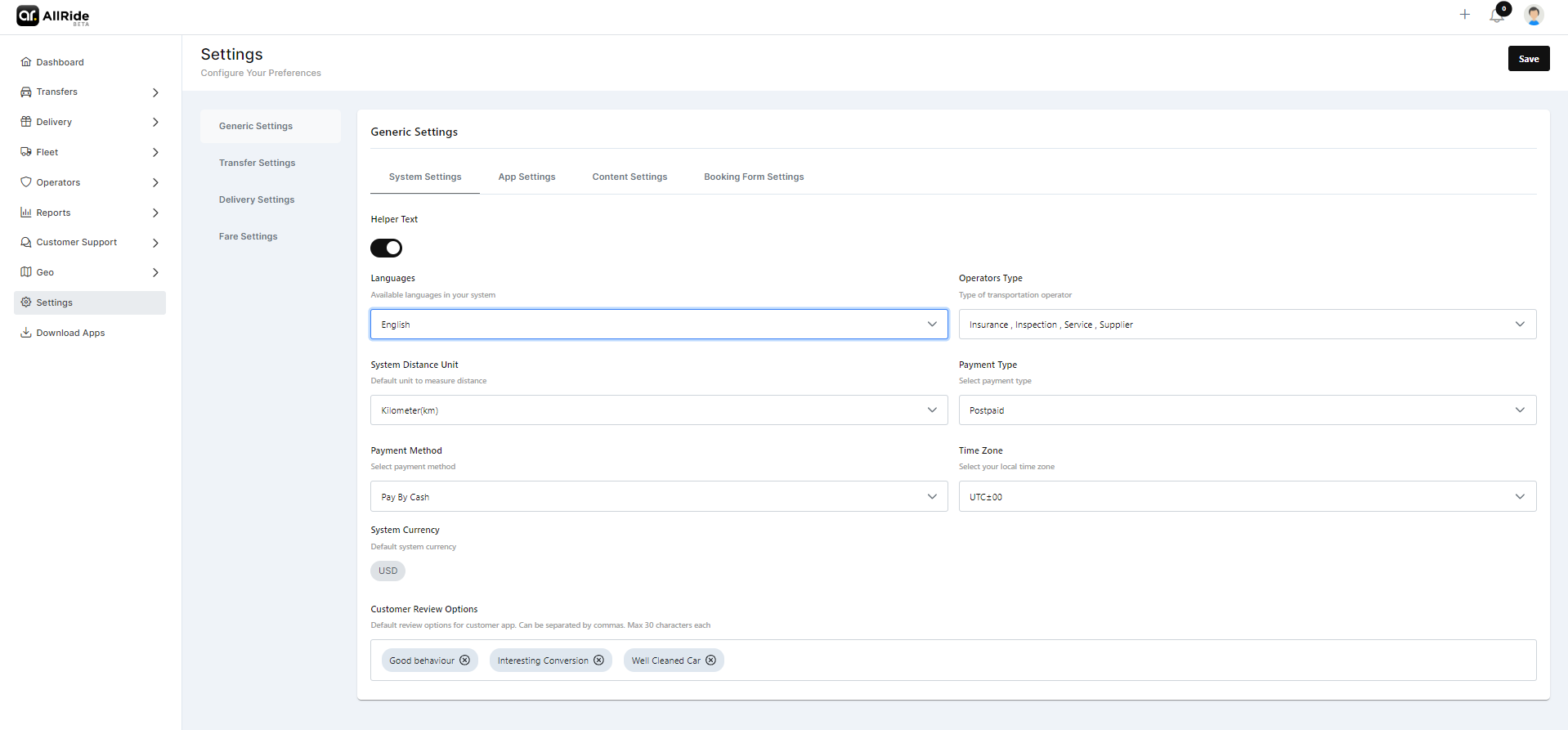
Generic settings
The Generic Settings section within the Settings Module is designed to allow administrators to configure essential, system-wide settings that affect the overall operation and user interface of the platform.
The Generic Settings is divided into 4 sub-sections -
- System Settings
- App Settings
- Content Settings
- Booking form Settings
System Settings -
- Helper Text: Helper text functionality is designed to assist users by providing additional context or instructions. You can toggle it on when you need it.
- Languages: Administrators can choose which languages are available for the system, ensuring that the interface can use the platform in preferred languages and for communication purposes.
- Operators Type: This dropdown allows the selection of the types of transportation operators recognized within the system, which could range from taxis and buses to ride-sharing services and more.
- System Distance Unit: Here, the default unit of measurement for distances within the system is selected, such as kilometers or miles, according to regional preferences or operational standards.
- Payment Type: Here you can specify the type of payment, for example, 'prepaid'.
- Payment Method: Here you can specify the mode of payment.
- Time Zone: This setting enables the system to operate under the local time zone, which is crucial for accurate scheduling and time stamping throughout the platform.
- System Currency: The platform's default currency setting is configured here, allowing financial transactions and fare displays to be standardized in a currency like the US Dollar, Euro, or any other applicable currency.
- Customer Review Options: This field specifies the default options available for customer reviews within the app. The administrator can set what parameters or criteria customers can use to rate services, limited to a certain number of characters and separated by commas for clarity.